Tool deep-dive
NotebookLM for medical school: how to turn lecture PDFs into cited study guides, audio reviews, and exam-ready summaries
Updated 1 June 2026 · 11 min read

NotebookLM for medical school is the most underrated AI tool in a student's workflow. It is a research assistant that reads only what you give it, answers only from those sources, and cites the exact page for every claim. For medicine, where a hallucinated drug dose or invented guideline can cost marks or worse, this grounding is the difference between a tool you can trust and one you cannot. This guide covers the five workflows that earn NotebookLM a place on your home screen, the limits that matter, and how it fits alongside ChatGPT in a complete study stack.
Why grounded AI matters more in medicine
Medicine has a hallucination problem. General chatbots like ChatGPT will tell you the wrong drug dose, invent a citation, or misremember a guideline, and they will do it with total confidence. The problem is not malice; it is architecture. A large language model trained on the entire internet has no way to know whether a particular fact came from a peer-reviewed paper or a Reddit thread. When you ask it a medical question, it averages everything it has seen and produces the statistically most likely answer. That answer is often right and sometimes catastrophically wrong.
NotebookLM solves this by constraining itself. You upload your sources: lecture PDFs, guideline documents, journal articles, your own typed notes. The model builds a retrieval index over those documents alone. When you ask a question, it searches its index, finds the relevant passages, and synthesises an answer that cites the exact page. If the answer is not in your sources, it will say so. It cannot invent a guideline you did not upload because it has no access to guidelines you did not upload.
How NotebookLM works (and why it rarely hallucinates)
NotebookLM is built on a retrieval-augmented generation architecture. In plain language: it does not memorise medical knowledge. It reads your documents at query time, finds the passages that match your question, and uses those passages as the sole source material for its response. This is fundamentally different from ChatGPT, which generates answers from patterns learned during training across the entire internet.
The practical result is that every NotebookLM response includes an inline citation. Click the citation and the tool highlights the exact sentence in your uploaded PDF that supports the claim. This means you can verify any answer in under five seconds. If your source is a NICE guideline, the citation points to the NICE guideline. If your source is a lecture slide, the citation points to the slide. The model does not know more than you gave it, which is exactly what you want when studying for an exam where the examiner expects answers based on the course material.
| Feature | NotebookLM | ChatGPT | Why the difference matters |
|---|---|---|---|
| Knowledge source | Only documents you upload | Entire internet training data | NotebookLM cannot invent facts from unseen sources |
| Citation style | Inline, clickable, page-level | None (or invented) | Every NotebookLM claim is verifiable in seconds |
| Hallucination risk | Low (confined to uploaded sources) | Medium to high | Wrong drug doses and fake citations are common in ChatGPT |
| Creative explanation | Limited (stays close to source) | Excellent (generates novel phrasing) | ChatGPT is better for concepts you do not yet understand |
| Internet browsing | No | Yes (in some tiers) | NotebookLM will not pull in updated guidelines you forgot to upload |
| Best for medicine | Lectures, guidelines, papers | Explanations, OSCE practice, brainstorming | Use both for different jobs |
The five workflows that earn their place
Most students open NotebookLM, upload one PDF, ask a question, and stop there. The tool is capable of far more. These five workflows are built on real use across multiple UK and US medical schools and cover the jobs you actually do every week.
1. Lecture PDFs into structured study guides
- Upload every slide PDF for one module as a single notebook.
- Ask: 'Produce a study guide organised by week. For each topic, include the three highest-yield facts and one common exam trap.'
- Ask: 'Generate a comparison table for every drug class mentioned across all lectures, with mechanism, key side effects, and contraindications.'
- Review the output against your own notes. Add anything the model missed.
- Export or copy the study guide into your preferred note-taking app.
This workflow turns a folder of fifty slides into a twenty-page study guide in under ten minutes. The citations mean you can check every fact against the original slide before trusting it.
2. Guideline review for finals and clinical rotations
Upload the NICE, BNF, AHA, or local guideline PDFs you will be examined on. Ask targeted questions that would take hours to answer by hand: 'What changed in this guideline from the previous version?' 'Summarise the management of heart failure in five steps with every cited contraindication.' 'List every drug interaction mentioned in the document and the page number.' Every answer points to the exact paragraph.
3. Audio overviews for commute and gym time
NotebookLM generates a two-host podcast-style audio overview from your uploaded sources. The hosts discuss the material, highlight connections between topics, and summarise key takeaways. For a fifty-page guideline, you get a fifteen-minute audio summary you can listen to on a bus or at the gym. The quality is uncannily good: the hosts do not simply read your slides; they synthesise themes and flag tensions between sources.
Use this as passive review, not primary learning. It works best after you have already studied the material once. The audio reinforcement helps with retention, particularly for guideline-heavy specialties like cardiology, endocrinology, and respiratory medicine.
4. Journal-club paper preparation
Upload the paper PDF. Ask a structured sequence: 'What is the primary outcome and how was it measured?' 'What are the secondary outcomes?' 'Describe the study population and inclusion criteria.' 'What is the most important limitation the authors disclose?' 'What would the strongest critique of this methodology be?' Each answer cites the exact section, so you can defend every point in the club without flipping through the paper.
5. Multi-source synthesis for essays and audits
Upload five to ten papers on a topic. Ask: 'Where do these sources agree and disagree on [specific point]?' 'What is the chronological evolution of thought on this topic across the uploaded papers?' For a finals dissertation, intercalated project, or audit write-up, this is faster than manual synthesis and the citations are real because they point to papers you uploaded yourself.
A worked example: the cardiology module
Here is a realistic walkthrough of how a clinical-year student might use NotebookLM for a four-week cardiology module. This is not a hypothetical; it is the workflow we recommend to every student who asks how to use the tool for rotation prep.
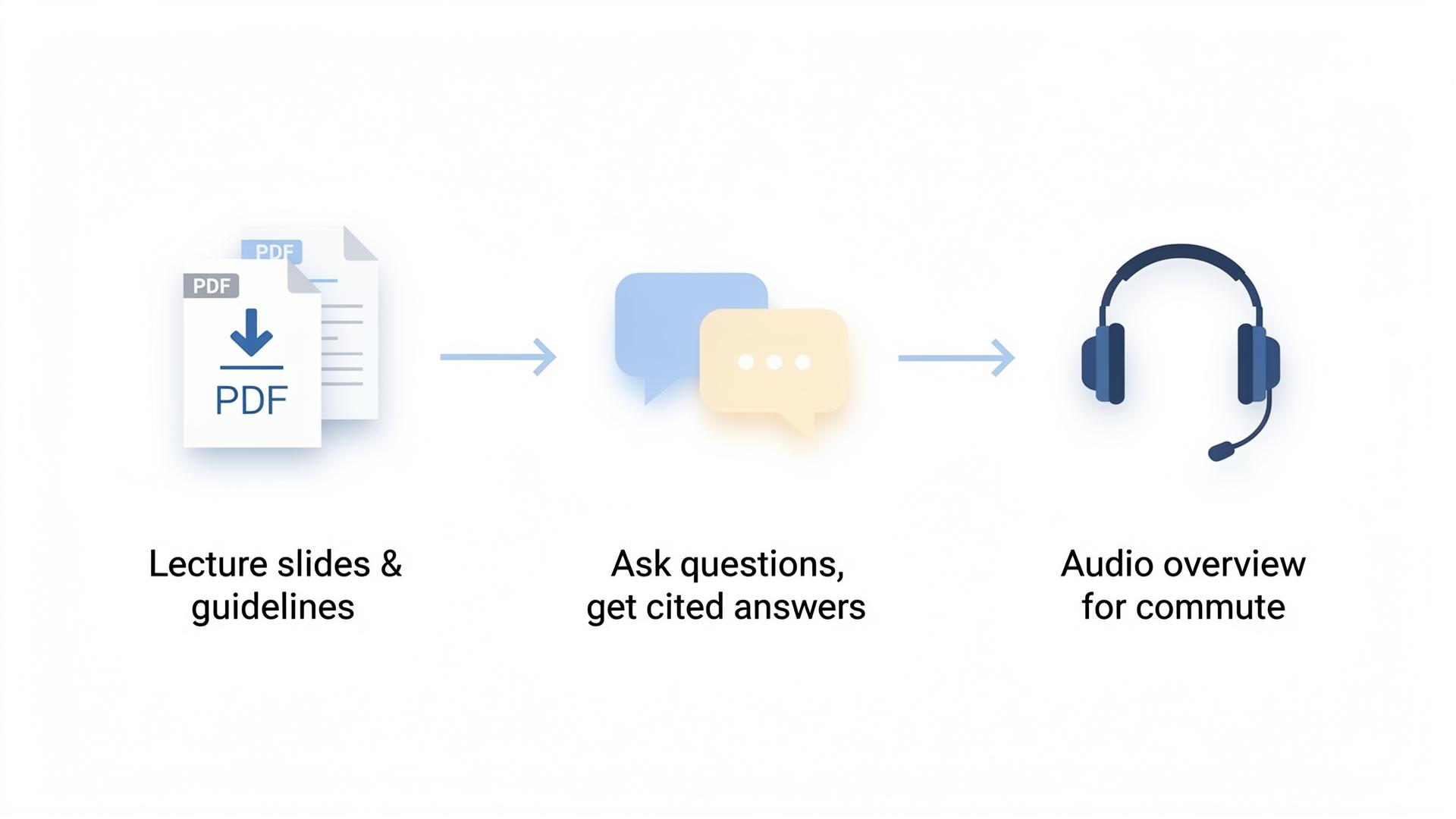
- Create a new notebook called 'Cardiology Module' and upload: all twelve lecture slide PDFs, the NICE chronic heart failure guideline (2024), the ESC guidelines for acute coronary syndromes, and your own typed notes from placement.
- Generate the audio overview. Listen to it on the commute to your first day on the cardiology ward. This gives you a mental map of the module before you see your first patient.
- Ask for a per-lecture study guide: 'For each lecture, list the three highest-yield facts and one common exam trap.' Compare the output with your own notes and add anything the model missed.
- For each major drug class (ACE inhibitors, beta-blockers, loop diuretics, statins), ask: 'What is the mechanism, the three most common side effects, and every contraindication mentioned in the NICE guideline? Cite the page for each.'
- Run a mock single-best-answer round: 'Ask me ten questions on heart failure pharmacology at finals level, with explanations for each answer citing the uploaded guideline.'
- Before the end-of-rotation exam, ask: 'What topics are covered in the uploaded lectures but not tested in the mock questions above?' This catches blind spots.
| Step | Time spent | Output | Verification needed |
|---|---|---|---|
| Upload sources | 10 minutes | Indexed notebook | Check that all PDFs uploaded correctly |
| Audio overview | 2 minutes (generation) | 15-min podcast | Listen once to confirm major topics covered |
| Study guide | 5 minutes (generation) + 15 minutes (review) | Per-lecture summary with citations | Cross-check against your own notes |
| Drug tables | 5 minutes per class | Mechanism, side effects, contraindications cited | Verify against BNF for dosing details |
| Mock SBA round | 10 minutes | 10 questions with explanations | Check that explanations match your lecture sources |
| Blind-spot check | 5 minutes | List of untested topics | Add these to your manual review list |
What NotebookLM does not do
Knowing the limits is as important as knowing the strengths. NotebookLM is deliberately narrow, and pushing it beyond its design creates frustration or worse. These are the four things it cannot do, with the tool you should use instead for each job.
- It does not browse the wider internet. Sources are exactly what you upload. If a guideline was updated last month and you uploaded the old version, NotebookLM will repeat the old version. For real-time information, use the tool's built-in web search or browse to the source yourself.
- It does not generate images or diagrams. For anatomy illustrations, surgical sketches, or patient education diagrams, use a sketch-first medical illustration tool. See the ai-medical-illustration and how-to-make-medical-diagrams-with-ai guides.
- It does not have a clinical knowledge base of its own. If your uploaded source is wrong, NotebookLM will confidently repeat the wrong thing. This is the remaining hallucination risk: not the model inventing facts, but the model faithfully reproducing incorrect facts from a bad source. Verify what you upload.
- It does not handle handwritten lecture notes well. Scan and OCR them first, or better yet, type them. The model's ability to read handwriting is improving but still unreliable for medical terminology.
NotebookLM vs ChatGPT: an honest task map
The question is not which tool is better. The question is which tool is better for a specific job. Medical students who use both tools together outperform students who rely on one alone. Here is the decision matrix.
| Task | Best tool | Why |
|---|---|---|
| Explain a concept you do not understand | ChatGPT | Open-ended, creative, can generate analogies from outside medicine |
| Summarise a lecture PDF with citations | NotebookLM | Grounded in the source, every claim traceable to a slide |
| Generate flashcards from notes | ChatGPT + Anki | ChatGPT writes atomic cards; NotebookLM cannot format for Anki |
| Prepare for a journal club | NotebookLM | Cites every claim to the paper; defensible in discussion |
| OSCE patient simulation | ChatGPT (voice mode) | Dynamic conversation; NotebookLM has no conversational patient mode |
| Review a guideline document | NotebookLM | Cites exact paragraphs; ChatGPT may summarise a different version |
| Find a paper you do not have | Consensus or Elicit | Both tools need you to upload the source first |
| Write a reflective portfolio entry | Your own brain, then ChatGPT for editing | Reflection requires personal experience; AI can polish, not generate |
| Make presentation slides | Gamma or Canva AI | Both ChatGPT and NotebookLM are text-only; these tools handle layout |
| Create anatomy diagrams | Angiosome (sketch-first) | Neither chat tool generates accurate medical illustrations |
Pricing and limits in 2026
NotebookLM is free with a Google account. In 2026, the free tier allows up to fifty sources per notebook, unlimited notebooks, and full access to the audio overview feature. Most medical students never hit these limits. A paid tier called NotebookLM Plus exists with higher source limits and faster audio generation, but it is priced at enterprise levels and is unnecessary for individual student use.
The real cost is not money; it is time. Uploading and organising sources takes discipline. A student who dumps fifty unlabelled PDFs into a notebook and asks vague questions will get vague answers. A student who uploads ten well-curated sources and asks precise, structured questions will get precise, structured answers. The tool rewards preparation.
| Tier | Cost | Source limit | Best for |
|---|---|---|---|
| Free | £0 with Google account | 50 sources per notebook | Every medical student |
| Plus | Enterprise pricing | 500 sources per notebook | Research groups, hospitals |
Clinical safety and academic integrity
Two safety rules matter for any AI tool in a medical context. The first is information governance. NotebookLM is a Google product; your uploaded documents are processed through Google's infrastructure. Do not upload identifiable patient information, confidential trust documents, or unpublished research data without anonymisation and institutional approval. Follow your trust's information governance policy. When in doubt, anonymise everything: remove names, dates of birth, NHS numbers, and any detail that could identify an individual.
The second rule is academic integrity. Using NotebookLM to summarise your own lecture notes, review guidelines, and prepare for journal club is standard study practice and is acceptable under both GMC 2024 guidance and the 2024 AAMC position statement on AI in medical education. Using it to generate reflective writing, essays, or portfolio entries that you submit as your own work is misconduct. The line is clear: AI can help you understand, not replace your understanding.
The sketch-first principle applies here too. Just as Angiosome renders your own sketch rather than inventing anatomy, NotebookLM answers from your own sources rather than inventing facts. The more you put in, the more you get out, and the output is always traceable to something you controlled.
What to read next
If you want the ranked tool list with prices and trade-offs, read the best-AI-tools-for-medical-school guide. If you want the seven ChatGPT prompts that work for explanations and OSCE practice, the chatgpt-for-medical-students guide has the full prompt library. For the Anki workflow that turns these study guides into retained memory, the anki-ai-workflow-for-med-school guide has import templates and review schedules. For anatomy diagrams, the ai-medical-illustration pillar explains why source-grounded tools matter for visual learning too.
Sources
- Google NotebookLM — official product page — Google
- GMC — Good medical practice (2024 update) — General Medical Council
- AAMC statement on the use of generative AI in medical education — Association of American Medical Colleges
- NICE — Chronic heart failure in adults: diagnosis and management — National Institute for Health and Care Excellence
- British National Formulary (BNF) — NICE
- Karpicke & Roediger — The Critical Importance of Retrieval for Learning — Science, 2008
- Google AI Blog — NotebookLM and grounded generation — Google
- Consensus — AI-powered evidence search — Consensus
Frequently asked questions
Is NotebookLM free for medical students?
Yes. The free tier with a Google account is sufficient for almost all medical student use. It allows up to fifty sources per notebook, unlimited notebooks, and full access to the audio overview feature. Most students never hit these limits. A paid enterprise tier exists but is unnecessary for individual study.
Is NotebookLM better than ChatGPT for medical school?
It is better for source-grounded work: lecture summaries, guideline review, paper analysis, and essay synthesis. It is worse for open-ended explanation, creative writing, OSCE patient simulation, and brainstorming. The honest answer is to use both: NotebookLM for anything that needs to stay faithful to a document, ChatGPT for anything that needs flexible, creative thinking.
Can NotebookLM hallucinate?
Far less than open-ended chatbots, because it is constrained to your uploaded sources and cites the exact page for every claim. The remaining risk is source-level: if your uploaded lecture slide or guideline is wrong, NotebookLM will faithfully repeat the error. Always verify your sources before uploading, and spot-check citations on high-stakes topics like drug doses and contraindications.
Does NotebookLM work with lecture recordings?
Yes, if you convert the recording to text first. Record the lecture with permission, transcribe it via Whisper, your phone's built-in transcription, or a service like Otter.ai, then upload the transcript to NotebookLM. The tool will index the text and answer questions with citations to the timestamp or paragraph. Audio files themselves are not yet supported as direct uploads.
Is NotebookLM safe for confidential clinical information?
No cloud AI tool should be used for identifiable patient data without explicit institutional approval. Anonymise everything: remove names, dates of birth, NHS numbers, and any detail that could identify an individual. Follow your trust's information governance policy. When in doubt, assume the data should not be uploaded.
Can I use NotebookLM for exam preparation alone?
It is a powerful supplement but not a complete replacement. Use it to synthesise lecture material, review guidelines, and generate practice questions. Pair it with Anki for memorisation, ChatGPT for explanations of concepts you still do not understand, and past papers for exam technique. No single tool covers all of medical education.
Can NotebookLM generate practice exam questions?
Yes, and it does this well because the questions are grounded in your uploaded course material. Ask: 'Ask me ten single-best-answer questions on [topic] at finals level, with explanations citing the uploaded sources.' The quality depends on the quality of your uploads: better sources produce better questions.
What is the best way to organise sources in NotebookLM?
Create one notebook per module or rotation. Upload the lecture slide PDFs, the relevant guidelines, and your own typed notes. Use descriptive filenames so the citations are readable. If you hit the fifty-source limit, split into subtopic notebooks. The tool rewards curation: ten well-organised sources produce better answers than fifty random uploads.
Try it
Sketch it. Angiosome renders it.
Angiosome turns rough medical sketches into clean, labelled, photoreal diagrams — grounded in your sketch, not invented by a model. Free to try.
Open Angiosome →